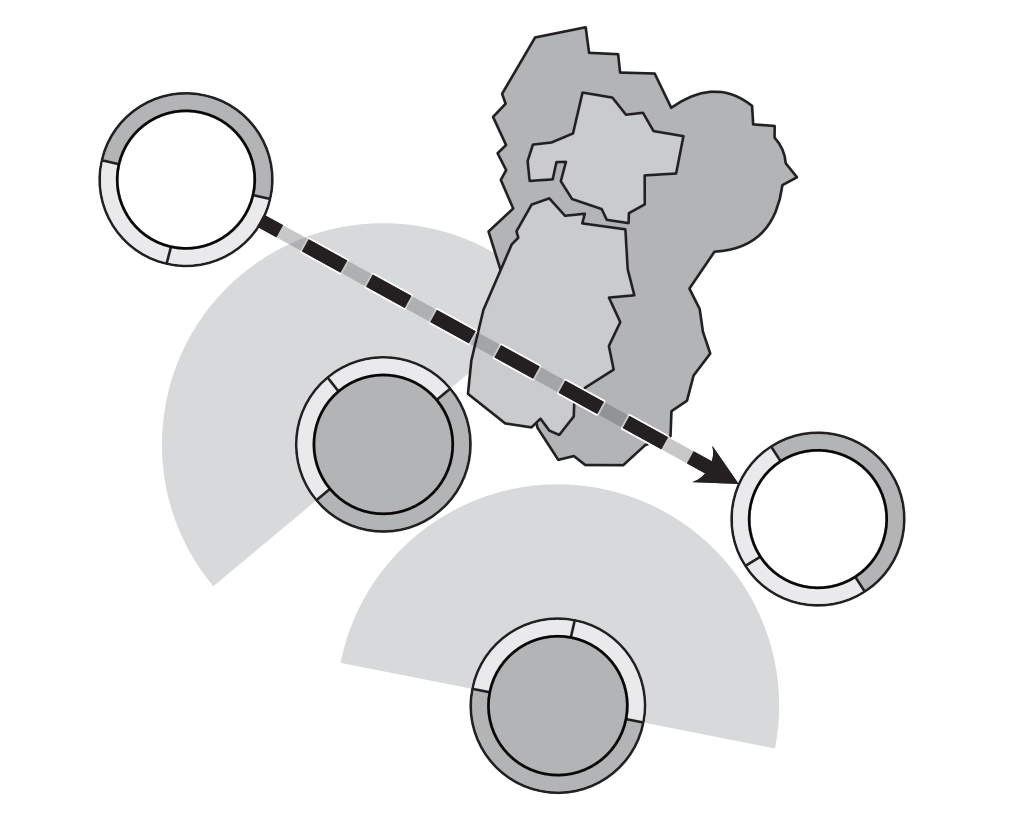
Models can move around the board in a number of ways depending on the action chosen when the model activates or the effects applied to those models. Some models are naturally faster than others, represented by their Move statistic and Move Boost; many models also have abilities or Ki Feats which allow them to move.
Any model may use different types of movement by choosing the requisite action; some effects also allow movement; the effect will tell you how the model moves. Effects that are triggered by movement can trigger from any of these.
If a model would be moved past the edge of the game area, then it stops when its base touches the edge of the board. A model cannot be Placed with any part of its base off the board edge.
Move
The model moves up to the given distance, along any path, subject to the restrictions for the action or ability that permits a move and may change its Facing at the end of the movement.
Changing Facing is considered a movement, even if the model remains in the same place.
During this movement, the model’s base may not pass through another model’s base or impassable terrain.
If an effect allows a player to move an opponent’s model, its facing may not be changed unless the effect specifically states otherwise.Link to original
Walk
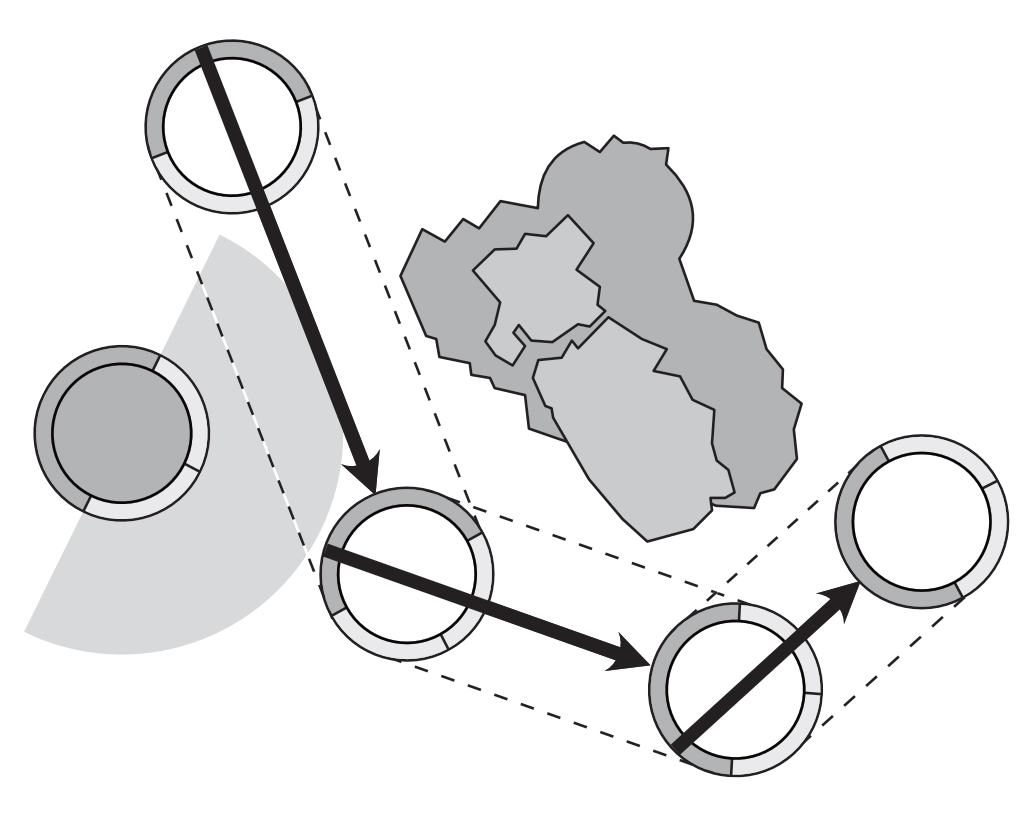
The model may make a move up to the distance stated (If no distance is given, the walk is up to the model’s Move Statistic in inches) in any direction.
A model performing a Walk may not move into an Enemy ZoC or move into or out of BtB with an Enemy model.
If an effect allows a player to walk an opponent’s model, that player chooses its facing at the end of the walk.Link to original
Run
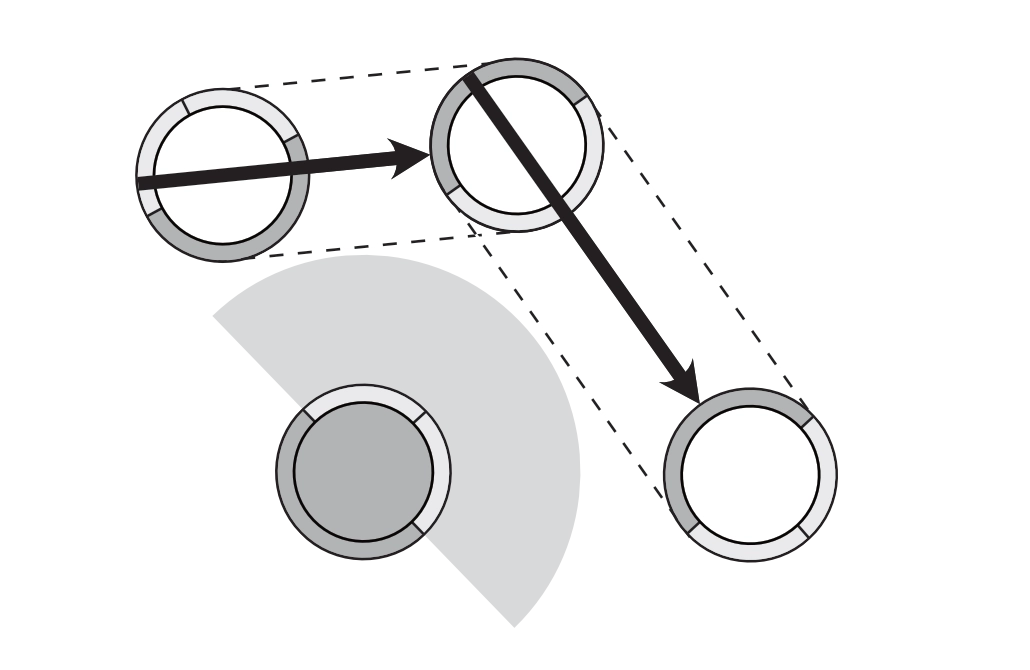
The model may choose a point within its LoS then rotate to face that point. The model may then make a movement in a straight line, directly towards that point.
A model may not Run into an Enemy model’s ZoC, into BtB with an Enemy model, or change its Facing after the movement.Link to original
Charge
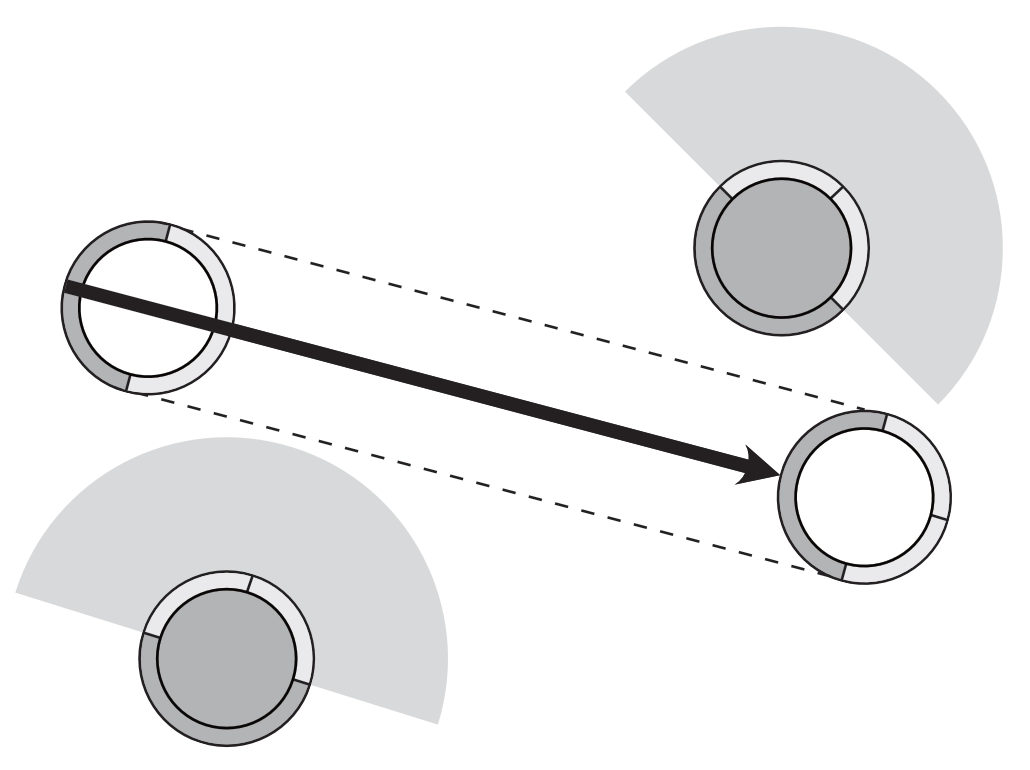
The model Targets an Enemy model, moving up to double its Move Statistic towards that model in a straight line which would bring its base into contact with the Target’s base or ZoC.
During this movement, it may not contact an enemy ZoC other than the Target’s.
If this movement would cause it to contact another Enemy model’s ZoC, its movement stops immediately before that ZoC.
Once in contact with the Targeted model’s ZoC or if the targeted model is in the acting model’s ZoC, the charging model may ignore the ZoC of other Enemy models.Once the charging model contacts the Target model’s ZoC, it must move directly towards the target until it is in BtB.
This movement need not be along the straight path of the charge movement.Link to original
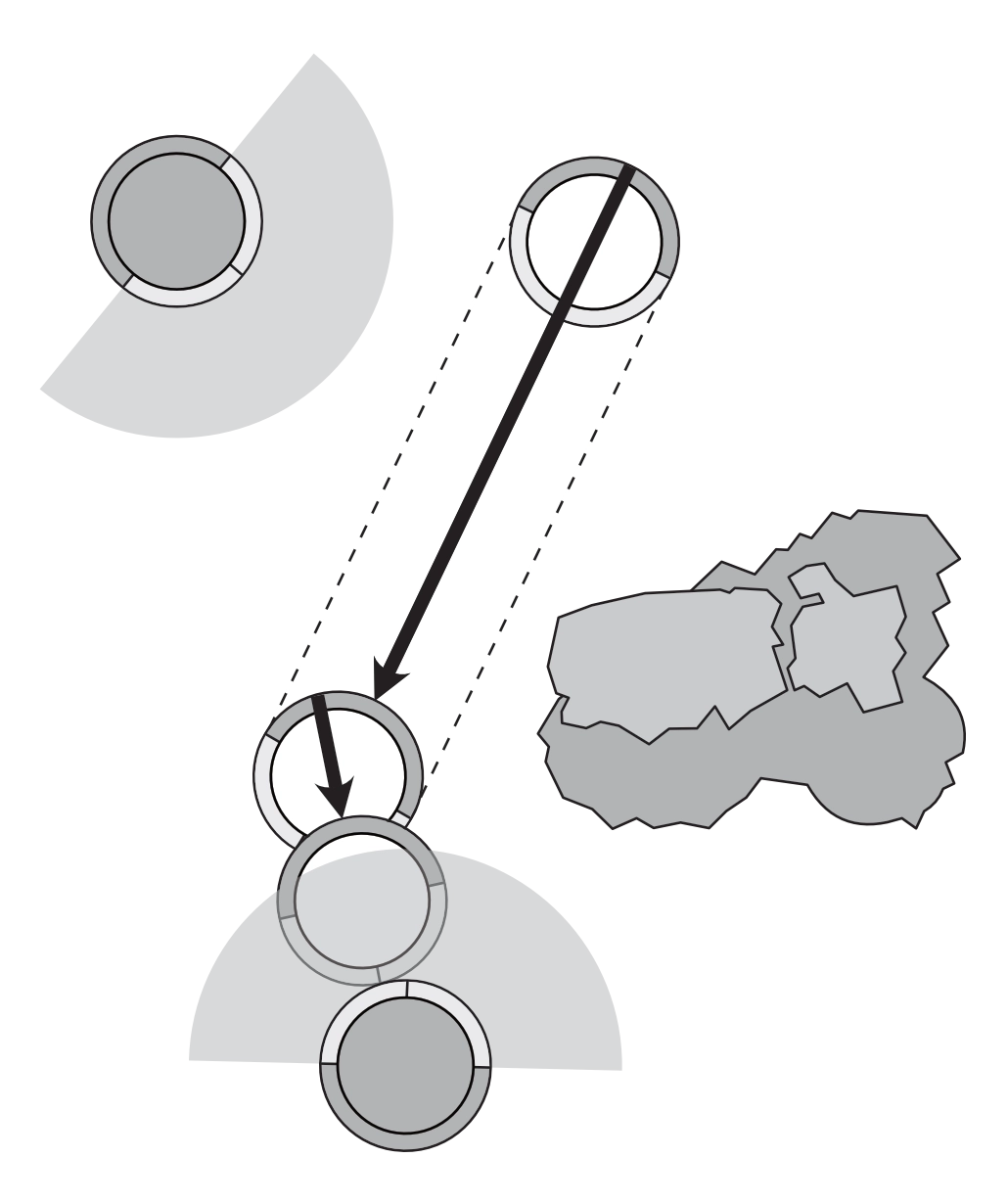
Place
Placing a model is not considered Movement.
Just pick up the model and place it in its new permitted location.
It does not have a move path, and it ignores ZoC, models and terrain between it, and its final location.If a model is Placed, it cannot be placed into the area of an Impassable Terrain Element, another model or into BtB with an Enemy model.
Each specific Place effect may have further restrictions.
The player Placing the model decides the model’s Facing.Link to original