This section outlines the deployment of the players’ models and any Scenario Objectives.
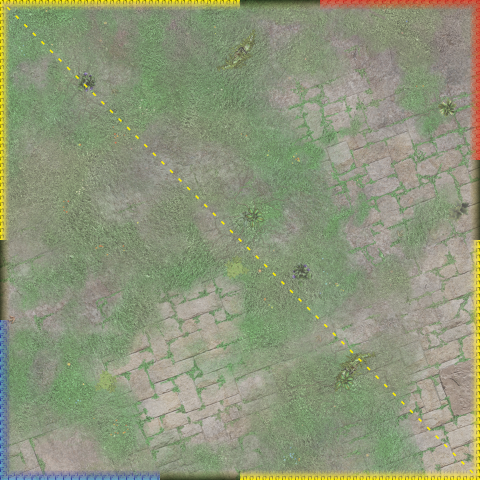
For models, Deployment can be Baseline, Corner Edge or Corner Square. This defines the deployment area, centreline, and neutral edges.
Any scenario can use any type of Deployment.
If the scenario uses Scenario Objectives then players should place them on the battlefield as instructed under this section of the scenario explanation in conjunction with the scenario’s diagram.
In some scenarios the Size is fixed to allow enough space between the objectives, in others a choice of Objective Size is available.
If defined, the Scenario Objectives’ Size will appear in brackets.
In Tournaments, the TO will announce the scenario, Deployment type, and Objective size.
Otherwise, players may agree or randomise as they wish. Some tables are included to aid in such randomisation.
NOTE
All elements which can be Friendly, Neutral, or Enemy are coloured blue, yellow, or red, respectively.
Legend
Link to original
Edge Deployment
Enemy / Friendly / NeutralSquare Deployment
Friendly / EnemyCentreline


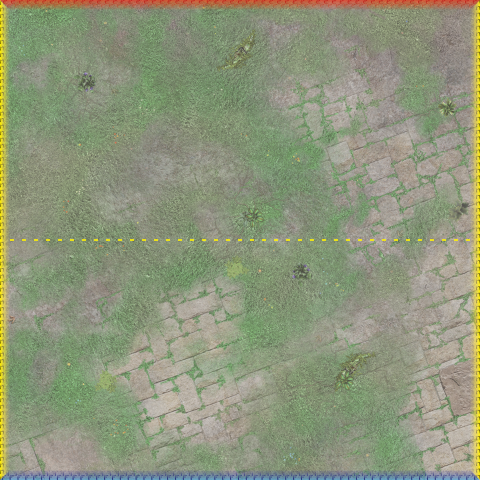
Baseline Deployment
Models are set up with the base of the model touching the edge of the battlefield.
Neutral edges extend the full 24” along non-Deployment edges.
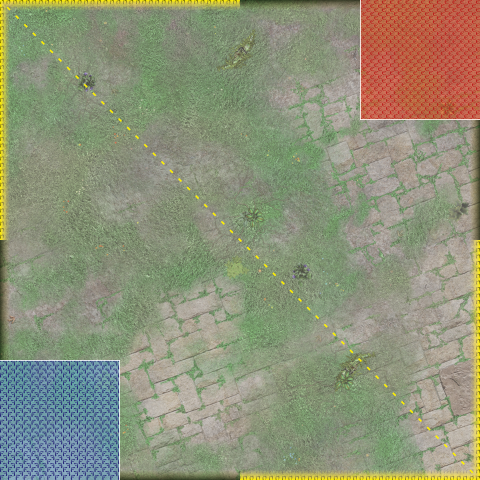
Corner Square Deployment
Players set up their models completely within a 6” square in opposite corners of the battlefield.
Neutral edges extend 12” from each non-Deployment corner.
Unless the scenario diagram provided at the event shows otherwise, players should use the corners as shown here.
Corner Edge Deployment
Players set up their models touching a battlefield edge within 8” of a chosen corner.
Neutral edges extend 12” from each non-Deployment corner.
Unless the scenario diagram provided at the event shows otherwise, players should use the corners as shown here.